Most research talks are structured like a paper: introduction, methods, results, discussion. That works on paper. On slides, it means the interesting part arrives after the audience has stopped listening. Flip it.
- Put the finding early, not after the methods.
- One chart per slide, finding as the title.
- For funders, end with a clear ask.
In this guide
01Put the finding early
| Paper order | Talk order |
|---|---|
| Introduction | The question, and why anyone should care |
| Methods | The finding, in one sentence |
| Results | The evidence, one chart at a time |
| Discussion | What it means, and what's next |
Methods still matter, but most audiences only need a one-slide summary. Keep the detail in backup slides for questions.
02Data slides people can read
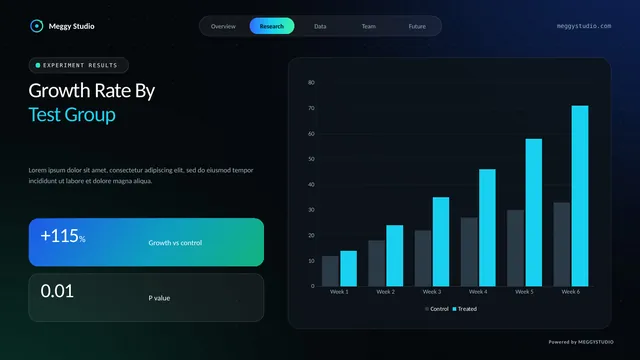
One chart per slide, with the finding written as the title. Highlight the result and grey out the comparison.
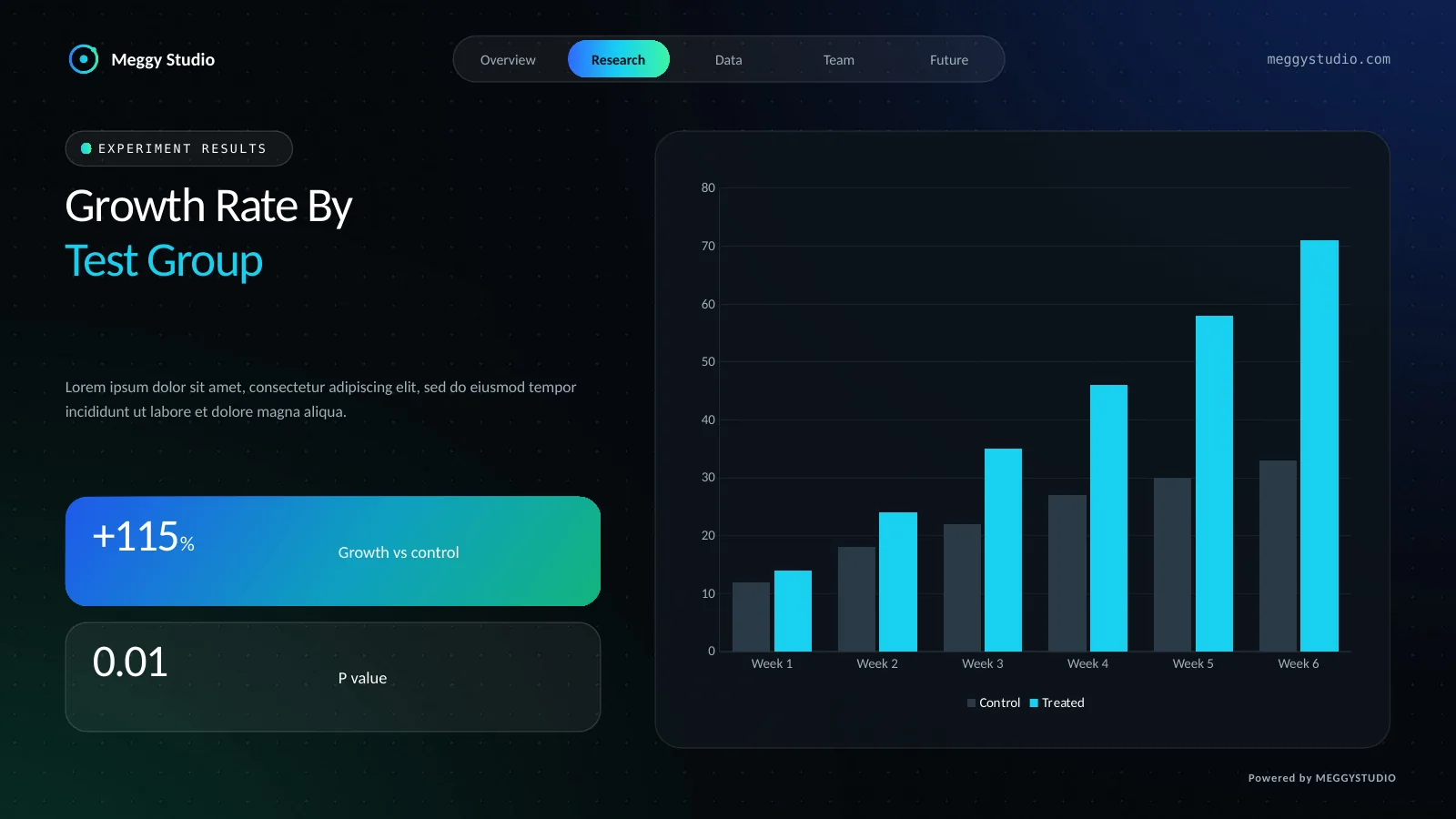
Figure 3: Results
Treated cells grew 115% faster than the control group
03Dashboards for ongoing work
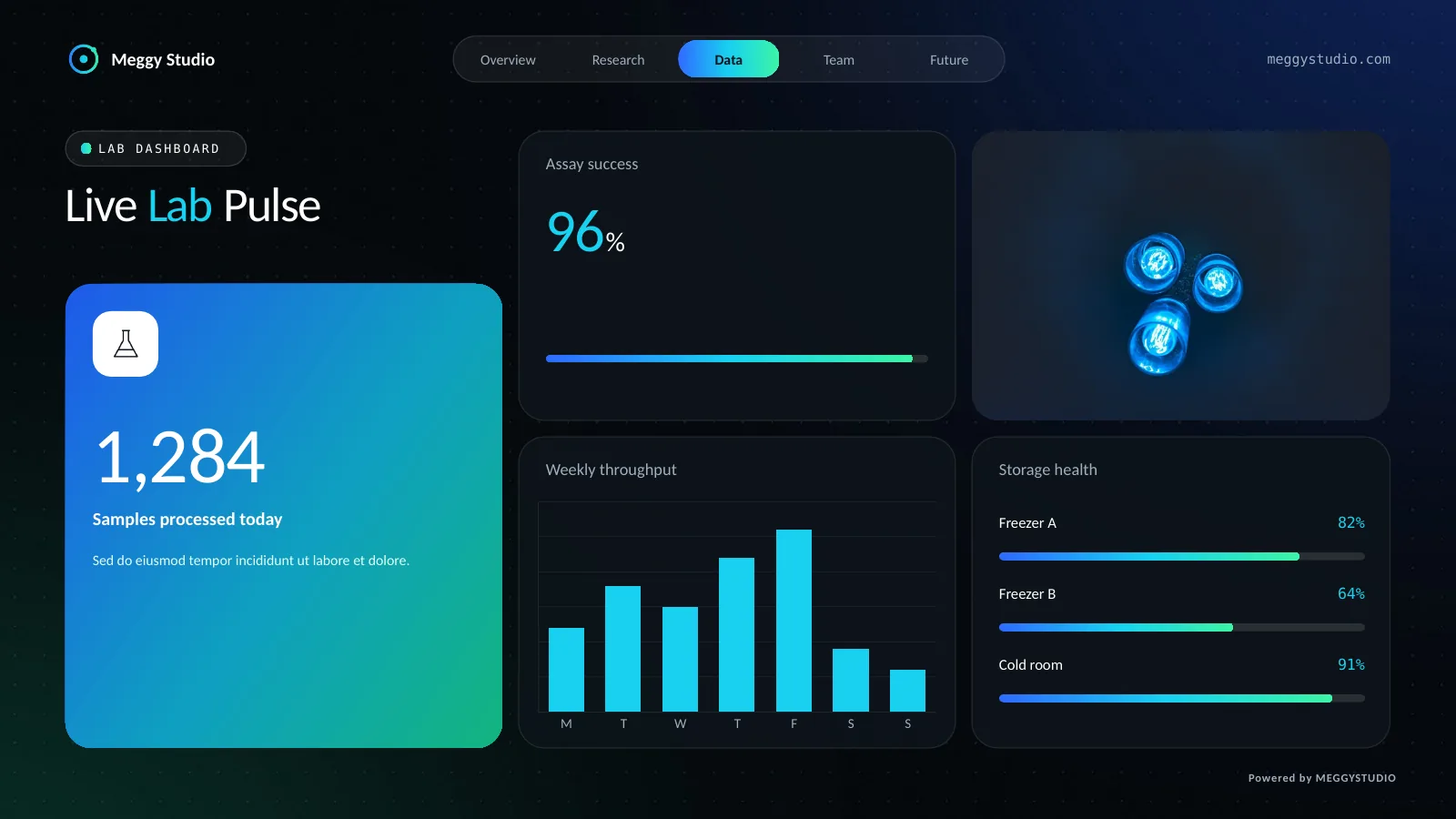
For a lab update or a funder report, a dashboard slide with three or four live metrics shows progress at a glance.
04The people behind the work
Funders fund people as much as ideas. A team slide with roles and one credential each builds confidence.

05For funding pitches, end with the ask
Amount, timeline, and what the money produces. Researchers often under-sell this slide.

If your aunt can repeat your finding after the talk, you presented it well.
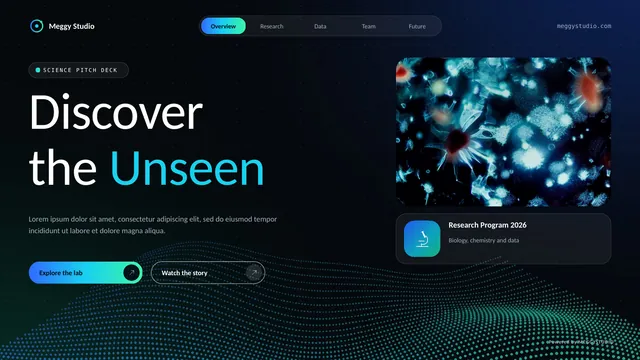
Science Lab has data, dashboard, team and funding slides with a calm, dark look.
06FAQ
How should I structure a research presentation?
The question, why it matters, what you did in brief, what you found, what it means, and what's next. Detailed methods go in backup slides.
How do I present data in a research talk?
One chart per slide with the finding as the title. Highlight the result that matters and grey out the rest.
How do I pitch research to funders?
Lead with the problem and impact, show early results, the team, and exactly what the funding will achieve and when.
Written by MEGGYSTUDIOWe design 50-slide PowerPoint templates with Morph built in.